
Sticker Card’s here — stick it, activate it, spend anywhere
Fast, easy, and a brand-new contactless payment experience awaits you with Papara Sticker Card!
Stick your Sticker Card to your phone or any accessory you never part with, and make quick contactless payments.
How to use the Sticker Card?
Pop It Out
Take the Sticker Card out of the frame it came in.
Stick
Peel off the protective strip and stick it to a flat, smooth surface.
Activate
Scan the barcode on the frame of the Sticker Card to add it to your account.
Start Using
Start making quick contactless payments with your Sticker Card!
Small in size, big on convenience
With Sticker Card, all you need to do for a contactless payment is reach for an item you always carry.
Place your Sticker Card near the contactless area of the POS terminal.
Payment complete!
Always with you for online payments
View your Sticker Card’s number, expiration date, and CVV in the Papara app. Use these details to pay online.
You can also add your card to Masterpass for even faster checkouts.
Speed and convenience in your hands
Sticker Card offers all the features and perks of your other Papara Cards!
Set spending limits, enable or disable it anytime, manage subscriptions, make payments, and track your expenses.
Reflect your style in your payments
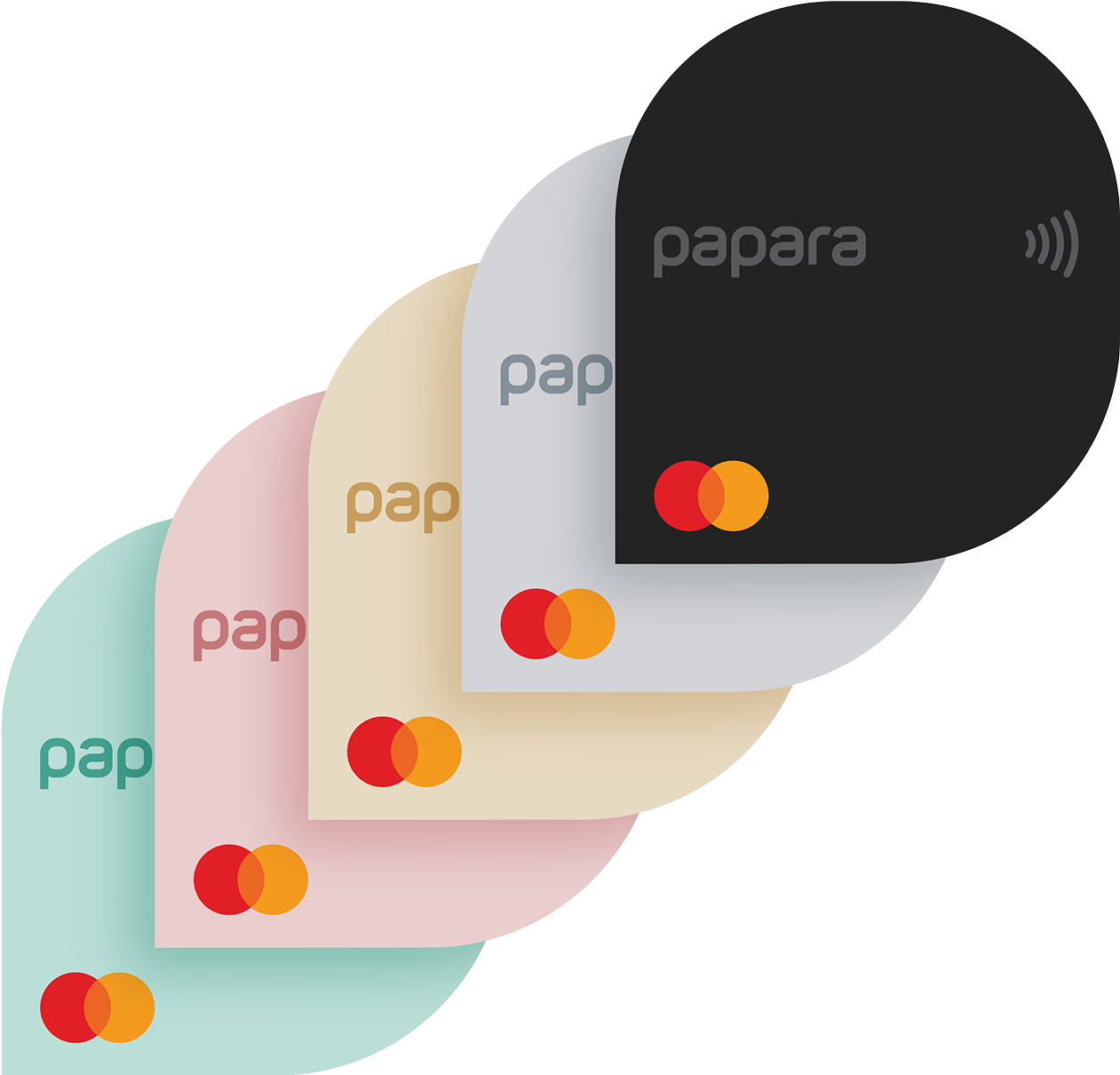
With five color options, Sticker Card matches the color of your favorite item.
Choose the color that suits your style and the item you’ll stick it on, and let your next-gen contactless payment speak for your style.
Earn Cashback with Sticker Card
Use your Sticker Card at Cashback brands and earn instant cash as you spend.
Discover the Sticker Card
Learn all the ways you can use your Sticker Card by watching our video.
Which one is your Papara Card?

Black Card
Use it completely free, get instant cash on certain brands. Moreover, you can design your own card.
Accepted worldwide, contactless payment
No card fees or monthly fees
Earn cash instantly with the Cashback Program
Cash deposits/withdrawals at ATMs
Free deposit/withdrawal from Akbank ATMs
Design your own card for ₺199
Gray Card
Use it completely free, get instant cash on certain brands. Moreover, you can design your own card.
Accepted worldwide, contactless payment
No card fees or monthly fees
Earn cash instantly with the Cashback Program
Cash deposits/withdrawals at ATMs
Free deposit/withdrawal from Akbank ATMs
Design your own card for ₺199
Rose Card
Use it completely free, get instant cash on certain brands. Moreover, you can design your own card.
Accepted worldwide, contactless payment
No card fees or monthly fees
Earn cash instantly with the Cashback Program
Cash deposits/withdrawals at ATMs
Free deposit/withdrawal from Akbank ATMs
Design your own card for ₺199
Almond Card
Use it completely free, get instant cash on certain brands. Moreover, you can design your own card.
Accepted worldwide, contactless payment
No card fees or monthly fees
Earn cash instantly with the Cashback Program
Cash deposits/withdrawals at ATMs
Free deposit/withdrawal from Akbank ATMs
Design your own card for ₺199
Teal Card
Use it completely free, get instant cash on certain brands. Moreover, you can design your own card.
Accepted worldwide, contactless payment
No card fees or monthly fees
Earn cash instantly with the Cashback Program
Cash deposits/withdrawals at ATMs
Free deposit/withdrawal from Akbank ATMs
Design your own card for ₺199

Gray Metal Card
Metal Card made of 18 grams of laser-cut stainless steel, with your name on it.
₺1,999 one-off card fee
Accepted worldwide
No monthly fees
18 grams of stainless steel
Produced abroad for you
Earn cash instantly with the Cashback Program
Cash deposit at ATMs
Free cash deposit at Akbank ATMs
Gold Metal Card
Metal Card made of 18 grams of laser-cut stainless steel, with your name on it.
₺1,999 one-off card fee
Accepted worldwide
No monthly fees
18 grams of stainless steel
Produced abroad for you
Earn cash instantly with the Cashback Program
Cash deposit at ATMs
Free cash deposit at Akbank ATMs
Rose Metal Card
Metal Card made of 18 grams of laser-cut stainless steel, with your name on it.
₺1,999 one-off card fee
Accepted worldwide
No monthly fees
18 grams of stainless steel
Produced abroad for you
Earn cash instantly with the Cashback Program
Cash deposit at ATMs
Free cash deposit at Akbank ATMs
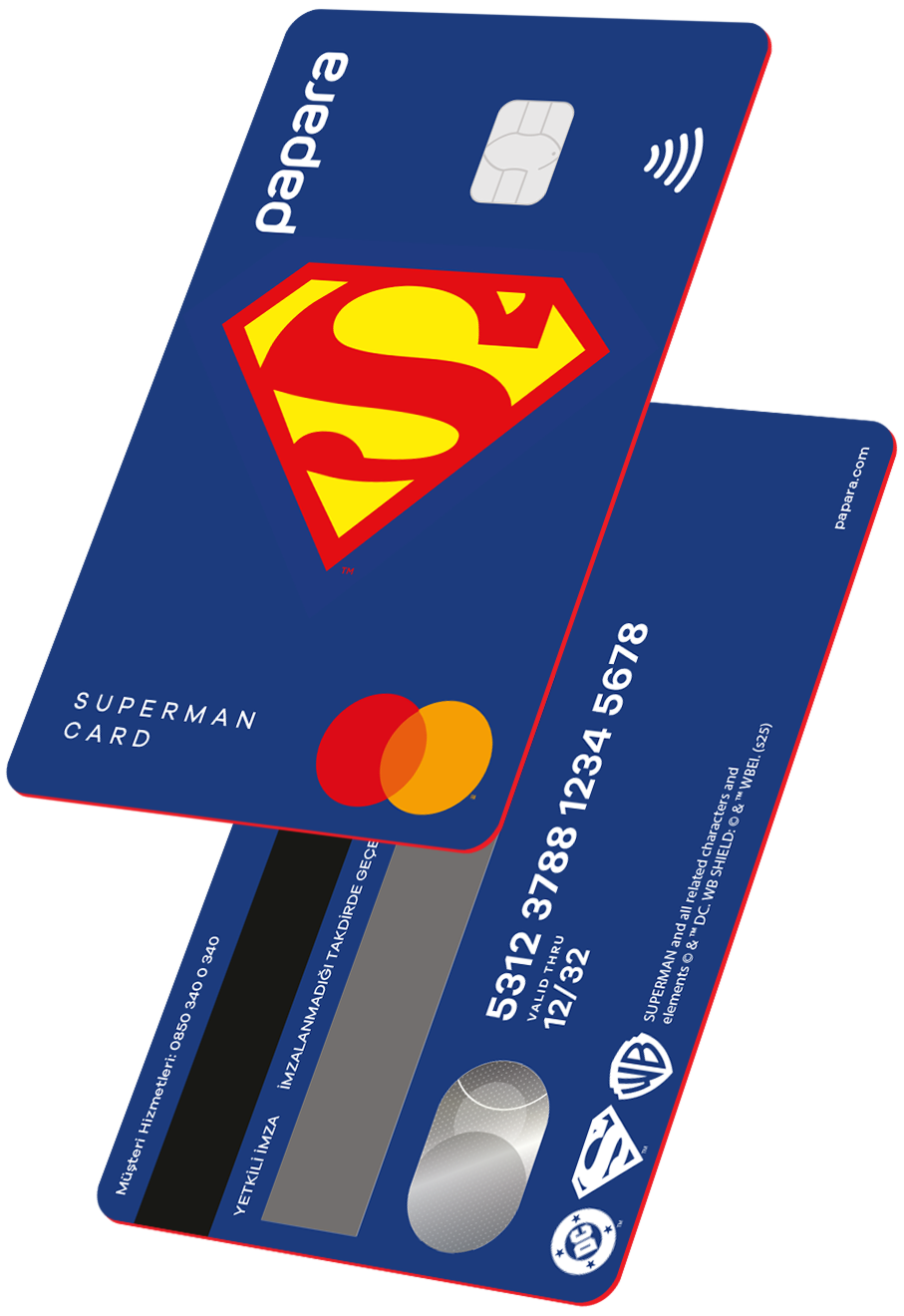
Superman Card
You can purchase limited edition Collection Cards from Papara and add it to your account.
₺149 one-time card fee
Accepted worldwide
Earn cash instantly with the Cashback Program
Contactless payment
Cash deposits/withdrawals at ATMs
Free deposit/withdrawal from Akbank ATMs
Batman Card
You can purchase limited edition Collection Cards from Papara and add it to your account.
₺149 one-time card fee
Accepted worldwide
Earn cash instantly with the Cashback Program
Contactless payment
Cash deposits/withdrawals at ATMs
Free deposit/withdrawal from Akbank ATMs
Flash Card
You can purchase limited edition Collection Cards from Papara and add it to your account.
₺149 one-time card fee
Accepted worldwide
Earn cash instantly with the Cashback Program
Contactless payment
Cash deposits/withdrawals at ATMs
Free deposit/withdrawal from Akbank ATMs
Harley Quinn Card
You can purchase limited edition Collection Cards from Papara and add it to your account.
₺149 one-time card fee
Accepted worldwide
Earn cash instantly with the Cashback Program
Contactless payment
Cash deposits/withdrawals at ATMs
Free deposit/withdrawal from Akbank ATMs
Joker Card
You can purchase limited edition Collection Cards from Papara and add it to your account.
₺149 one-time card fee
Accepted worldwide
Earn cash instantly with the Cashback Program
Contactless payment
Cash deposits/withdrawals at ATMs
Free deposit/withdrawal from Akbank ATMs



Frequently Asked Questions
To enjoy the best payment experience with your Papara Sticker Card, here are a few tips to keep in mind before sticking it:
Choose a flat and smooth surface:- Curved, bumpy, or rough surfaces may reduce adhesion and affect card performance.
- Dusty, oily, or wet areas weaken the adhesive. Clean the surface first and make sure it's completely dry.
- Avoid touching the adhesive side or letting it stick to other surfaces.
- Your Papara Sticker Card comes with an extra double-sided sticker. If the original loses stickiness, use the spare one following the same tips above.
Reminder:
Before making contactless payments with a Papara Sticker Card attached to an Android phone, make sure your NFC is turned off.
ⓘ If your Sticker Card is lost or stolen, you can permanently deactivate it by:
-
Going to Papara, selecting your card from the Papara Card menu, and tapping “Cancel Card”.
-
You can call 0850 340 0 340 to reach Papara Customer Support and request cancellation.
Start using contactless payments right after activating your Papara Sticker Card.
Remove the card:
Carefully take the card out of its frame.
Stick it:
Peel off the protective layer on the back of the card and stick it to a clean, flat surface. [More info]
Activate it:
Open the Papara app, go to the Papara Card menu, select Sticker Card, tap “Activate,” and scan the barcode on the frame. Set your card PIN.
Start using:
Hold your Papara Sticker Card close to the contactless area of POS terminals to pay.
Papara Sticker Card can also be used for online shopping.You can view the card number, expiration date, and CVV by selecting your Sticker Card in the Papara Card menu and use it for online payments.
Reminder:
If your Sticker Card is attached to an Android phone, make sure to turn off the phone’s NFC feature before making a contactless payment.
Due to its small size, it may take a few tries to find the correct spot on some POS devices.
If you experience any issues at checkout, you can quickly complete the payment via QR code in the Papara app.
The Sticker Card is a prepaid card designed for quick contactless payments that you can use by sticking it onto a suitable surface.
It is smaller in size compared to traditional cards and has similar features to all Papara Cards.
With the Papara Sticker Card:
-
You can make contactless payments at POS terminals worldwide.
-
You can use the card details (available on the Papara mobile app or papara.com) for online shopping.
-
You earn instant cash as you spend through the Papara Cashback program.
-
You can disable or enable the card, set a spending limit, and track your expenses instantly.
There is only a one-time card fee, which is deducted from your Papara account when you order the card.
To use your Sticker Card, you need to have a Papara account. If you don’t have one yet, you can open a free account within seconds via the Papara mobile app or papara.com.
-
Carefully remove the Sticker Card from its frame.
-
Peel off the protective strip and stick the card onto a clean, flat surface.
-
In the Papara app, go to Papara Card > New Card > Register Sticker Card.
-
Scan the barcode on the card frame.
-
Set your card PIN and start using it!